editor GUIDE
Collaborating with other editors
Share a work so another user can edit it with you or listen and view. Participants also need editor access.
Prerequisites
- GameSound sign-in
- Editor access, such as Pro or Ultra
- A saved work to share
Sharing a work
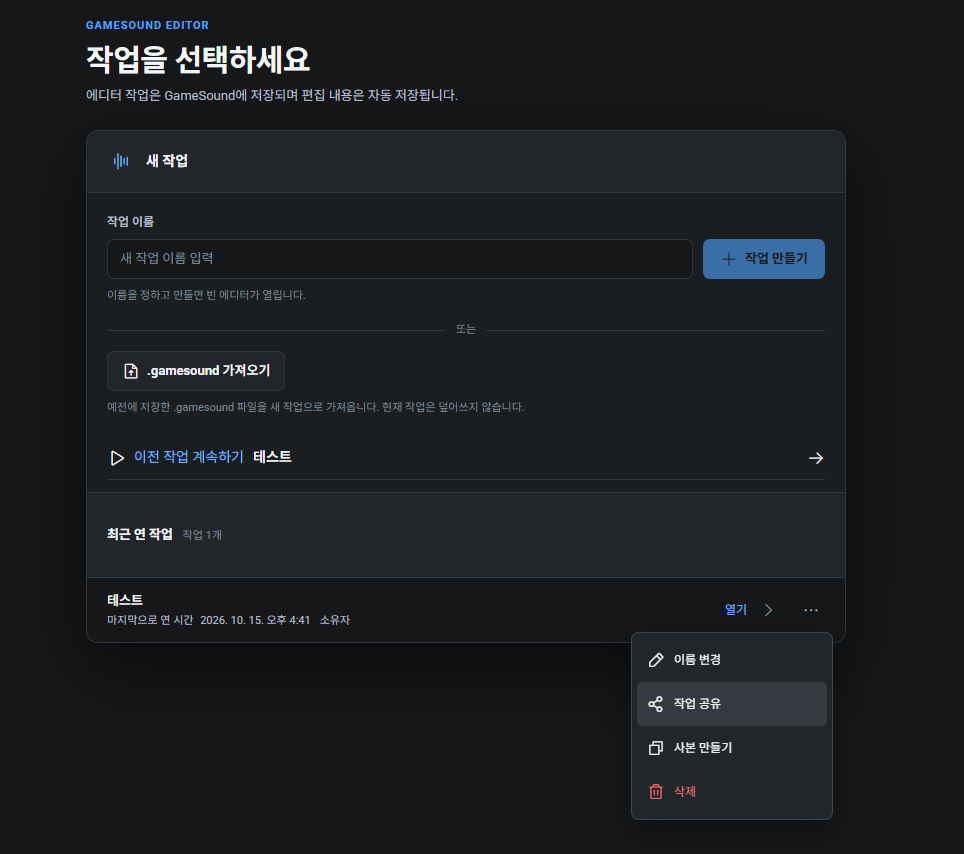
Open … on a recently opened work and choose Share work.
- 1
Open sharing
Open Share work for the desired work.
- 2
Enter the email
Enter the email address the other user registered with GameSound.
- 3
Assign access
Assign Can edit or Can view and share the work.
Viewing and editing
Only the work owner can assign or change participant roles.
- Can edit: edit audio and the timeline in the shared work
- Can view: listen and view only; editing is not allowed